Home › FX Trading School › Intermediate
Setting Stops with the ATR Indicator
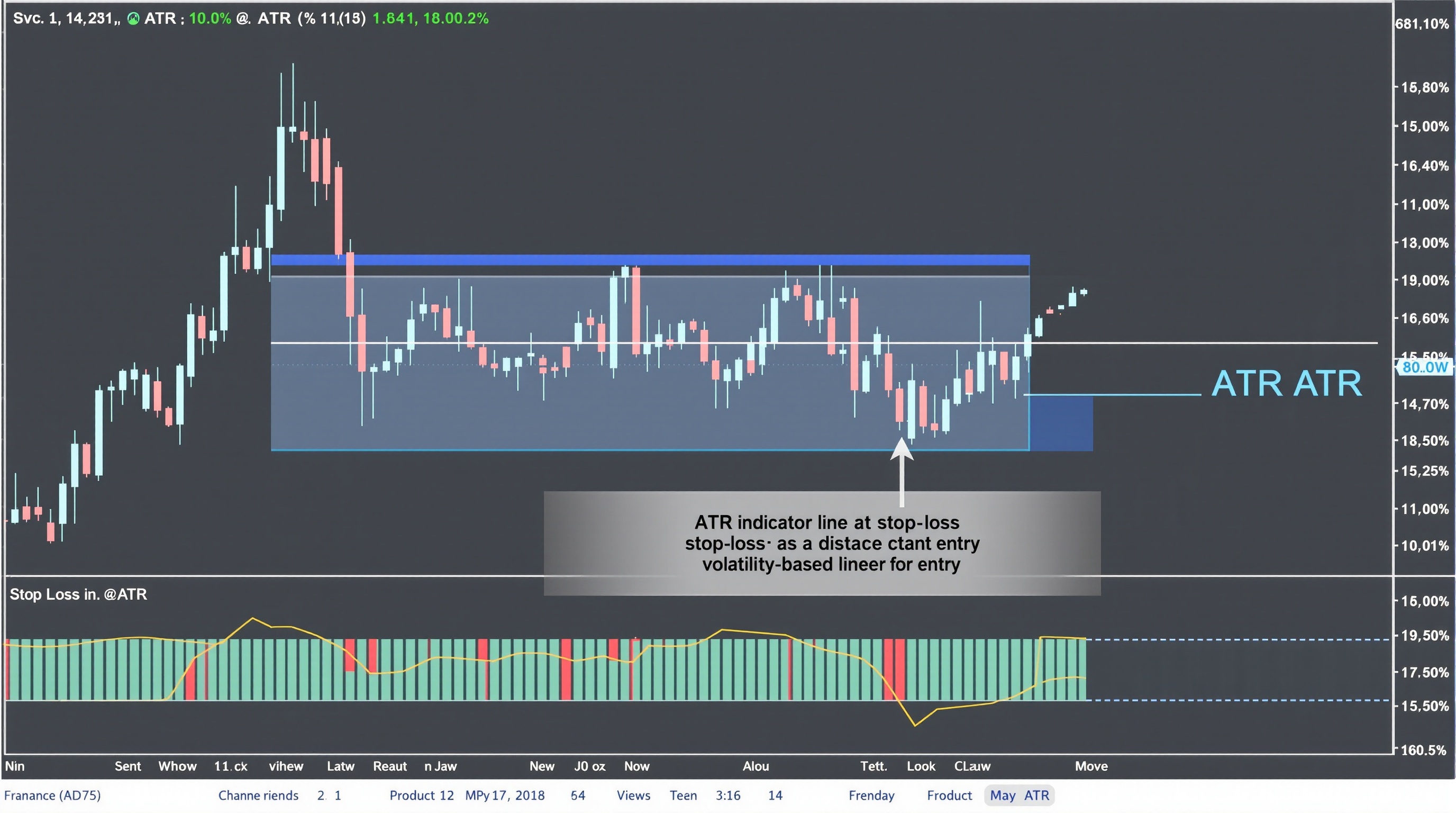
Setting stops with the ATR indicator is one of the most practical upgrades an intermediate trader can make, because it ties your stop-loss distance to what the market is actually doing right now, rather than to a fixed number of pips you picked out of habit. This lesson assumes you've already covered position sizing and risk-per-trade from Module 7 - if that's new to you, go back and work through it first, because ATR stops and position sizing are two halves of the same decision.
What ATR Actually Measures
Average True Range (ATR) is a volatility indicator, not a directional one. It doesn't tell you where price is going - it tells you how far price has typically moved over a given period, accounting for gaps.
The "true range" for each candle is the largest of:
- Current high minus current low
- Current high minus previous close
- Current low minus previous close
ATR then averages that true range over a set number of periods - 14 is the standard default on MetaTrader and most other platforms, though some traders shorten it for faster reaction or lengthen it for smoother readings.
The output is a single number in price terms (or pips, once converted). If EUR/USD's 14-period ATR on the H4 chart reads 0.0045, that's roughly 45 pips of average movement per four-hour candle recently. That number rises in volatile periods and falls in quiet ones - which is exactly why it's more useful for stop placement than an arbitrary fixed distance.
Why Fixed Pip Stops Fall Short
A lot of traders start out with a rule like "always use a 20 pip stop." It's simple, but it ignores context:
- In quiet conditions, 20 pips might be far wider than needed, meaning you're risking more than necessary or sizing your position smaller than you could.
- In volatile conditions, 20 pips can sit well inside normal noise, and you get stopped out on a random swing before the trade has had a chance to work.
- Across pairs, a fixed pip stop applied to both EUR/USD and GBP/JPY treats two very differently-behaved instruments the same way.
ATR fixes this by scaling the stop to current conditions automatically. It's not a magic filter that prevents losses - you'll still lose plenty of trades - but it does mean your stop is placed based on actual market behaviour rather than a guess.
Building an ATR-Based Stop
The standard approach is to multiply the ATR value by a chosen factor and place the stop that distance from entry.
Basic formula:
Stop distance = ATR value × multiplier
Common multiplier ranges:
| Multiplier | Typical use case | |---|---| | 1.0x–1.5x | Tighter stops, scalping or fast intraday setups | | 1.5x–2.5x | General swing trading, trend-following entries | | 2.5x–3.5x | Wider stops for volatile pairs or longer holds |
Worked example: Say GBP/USD's 14-period ATR on the H1 chart is 0.0032 (32 pips). Using a 2x multiplier, your stop would sit 64 pips from entry. If you're going long, the stop goes 64 pips below entry; short, 64 pips above.
There's no single "correct" multiplier - it depends on your strategy, timeframe, and how much room the setup needs to be right. Backtest a few multipliers on your own trade history rather than assuming a textbook number applies to your system.
Combining ATR with Position Sizing
An ATR stop only works properly if you size the position to match it - this is where it connects directly to the risk-per-trade rule from Module 7.
The workflow:
1. Decide your risk per trade (e.g. 1% of account equity) 2. Calculate your ATR-based stop distance in pips 3. Work out position size so that the stop distance equals your risk amount
Example: £10,000 account, 1% risk = £100. ATR stop distance = 64 pips. Position size is calculated so that 64 pips of adverse movement equals £100 of loss - not the other way round. If you fix the lot size first and let the stop fall wherever ATR says, you can end up risking far more or less than intended.
This is also where broker execution matters. Pepperstone's MetaTrader servers and IG's own platform both let you check pip value and margin requirements before confirming a trade - use those tools to confirm your maths before entering.
Adjusting ATR Stops for News and Session Volatility
ATR is calculated on historical bars, so it reacts to volatility after it's happened, not before. Two situations catch traders out:
- Before high-impact news (NFP, central bank decisions), ATR from the prior session may understate what's about to happen. Some traders widen their multiplier or step aside entirely around known events.
- Session overlaps, like London/New York, typically show higher ATR readings than the Asian session on the same pair. A stop sized during a quiet Asian session can be too tight once London volume kicks in.
Practical adjustments:
- Recalculate ATR using the timeframe and session you're actually trading in
- Widen your multiplier slightly ahead of scheduled high-impact news, or avoid entries in that window
- Don't set-and-forget - if volatility regime clearly shifts mid-trade, your original stop logic may no longer apply, though moving stops further away to avoid a loss is a discipline problem, not a strategy
Where Trading Costs Fit In
Setting stops with the ATR indicator gets you a sensible, volatility-aware stop distance - but that distance is only useful if you also know your real transaction costs. Spread, commission, and overnight swap charges all eat into your effective risk and reward, and they vary between brokers and account types.
Before finalising position size on any ATR-based setup:
- Check live spread and commission figures on the PipTax cost tool at /audit.html rather than relying on marketing pages
- Compare account types across brokers like Pepperstone and IG on /brokers/index.html, since raw spread vs commission-plus-spread models change your true stop-loss cost
- Remember that a stop placed at 2x ATR still needs to clear the spread comfortably - a wide stop on a high-spread instrument behaves differently to the same ATR multiple on a tight-spread major pair
None of this is about finding a "best" broker - it's about knowing the real numbers before you risk real money.
Conclusion
Setting stops with the ATR indicator replaces guesswork with a distance grounded in actual recent volatility, and it works best when paired with disciplined position sizing and a clear-eyed view of your broker's real costs. Start with a standard multiplier, test it against your own strategy and instrument, and adjust for session and news volatility rather than treating any single number as fixed. Trading carries real risk of loss regardless of how a stop is calculated, and no indicator - ATR included - removes that.
Key takeaways
- Setting stops with the ATR indicator means basing stop distance on recent volatility, not a fixed pip count
- A common starting point is 1.5x to 3x ATR, but the right multiplier depends on your strategy and timeframe
- ATR-based stops help avoid being stopped out by normal price noise while still respecting your risk-per-trade limit
- Stop distance and position size must be worked out together - a wider ATR stop means a smaller position
- Spreads, swaps and commissions eat into how much room your stop really has - check real costs with the PipTax cost tool before sizing trades
- ATR should sit alongside support/resistance and structure, not replace them entirely
Frequently asked questions
- What is a good ATR multiplier for a stop loss?
- There's no universal answer, but many traders start around 1.5x to 2x ATR for trend-following setups and up to 3x ATR on more volatile pairs or longer timeframes. Test it on your own strategy and instrument rather than copying a fixed rule - volatility behaviour differs between, say, GBP/JPY and EUR/USD.
- Should I use ATR on every timeframe?
- Use the ATR period and timeframe that matches how you trade. A day trader working the 15-minute chart should use ATR calculated on that same chart, not the daily ATR - the numbers aren't interchangeable across timeframes.
- Does ATR account for spread and slippage?
- No. ATR only measures recent price range - it says nothing about your broker's spread, commission or overnight swap costs. Those all reduce your effective room to breathe, so it's worth checking live costs on the PipTax cost tool before finalising a stop.
- Can I use ATR stops with any position sizing method?
- Yes, and you should combine the two. Once you know your ATR-based stop distance in pips, use it with your fixed risk-per-trade percentage to calculate lot size, rather than picking a lot size first and hoping the stop fits.
- What's the difference between ATR and a fixed pip stop?
- A fixed pip stop (say, always 30 pips) ignores current market conditions - it might be too tight in a volatile session and too loose in a quiet one. An ATR stop adjusts automatically as volatility rises or falls, which is why it's often considered a more honest reflection of what the market is actually doing.